For schools and academic administrators, producing individual result cards by hand is repetitive and error-prone, particularly when hundreds of students need consistent, professional reports each term. Automating the process with VBA removes that manual formatting burden, turning raw scores into polished, graphically detailed report cards without extra staff time. The practical benefit is faster turnaround at the end of each term, fewer transcription errors, and a consistent reporting standard that scales smoothly as student numbers grow.
Data & Analytics
Excel Result Card Automation
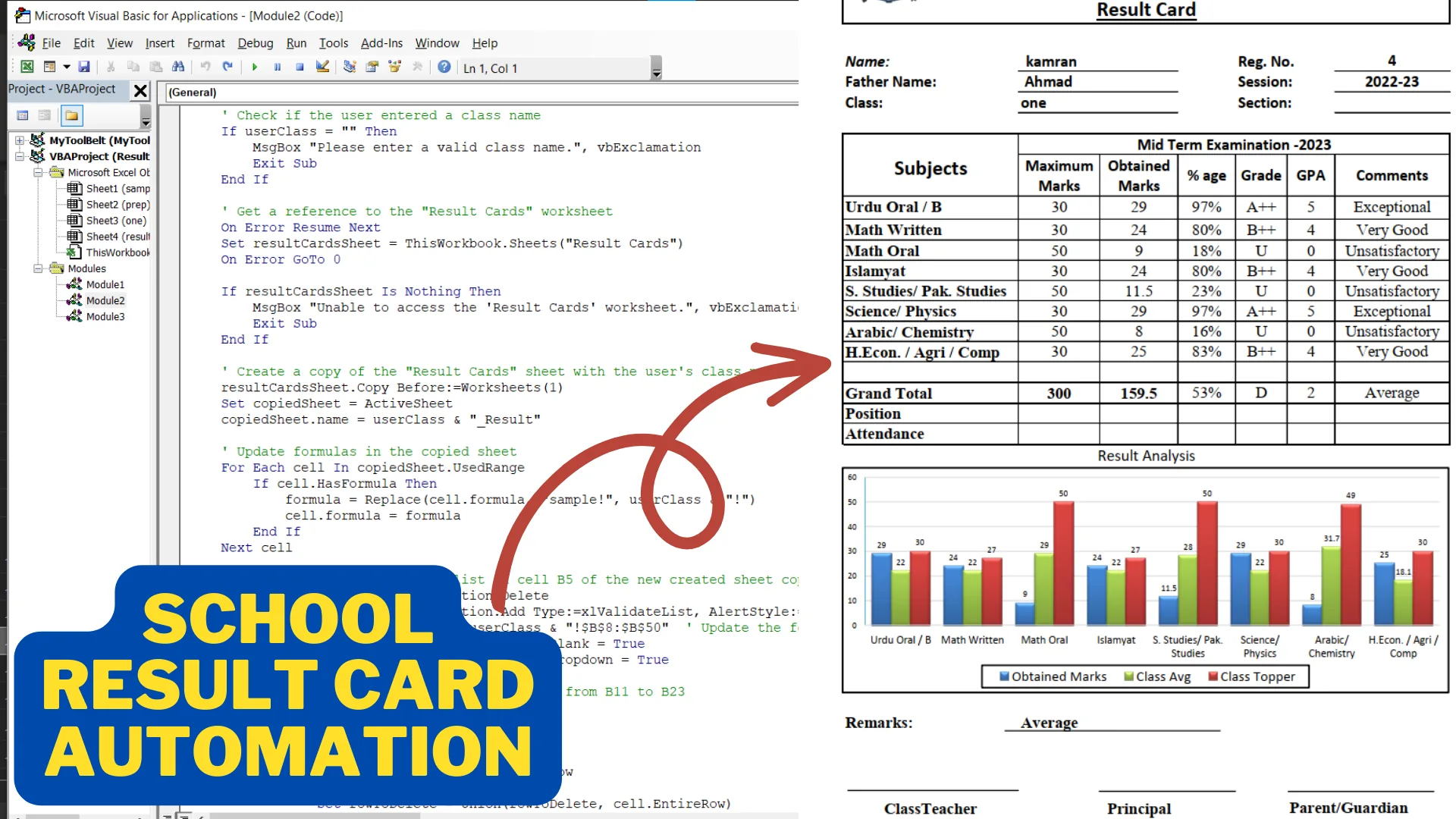
Leveraged VBA to generate customized school result cards with detailed graphical analysis and performance tracking.
Tech Stack
Technologies Used
Tools and platforms used to build this solution.
Excel VBA
Macros
Process
How It Works
A closer look at the workflow behind the results.
1
Raw Data Import
Student academic scores are imported into the Excel workbook as the source data for each result card.
2
VBA-Driven Processing
Macros calculate performance metrics and build the graphical analysis for each student automatically.
3
Result Card Generation
A finished result card is generated for each student, complete with graphical analysis, ready to print or share.
Metrics
Results & Impact
Measurable outcomes that demonstrate the value delivered.
Generated 2,000+ customized student result cards automatically per term
Reduced manual report preparation time by 85% through VBA-driven automation
Integrated graphical performance analysis across 5+ academic metrics per student
Improved reporting accuracy and consistency to 99% by eliminating manual calculations
Why It Matters
Business Impact

Interested in a similar project?
Let's discuss how we can build something great together.
Start Your Project